
How to Create a Custom Portal Greeting
- revo.tech

- Dec 10, 2019
- 1 min read
To create a custom welcome message or greeting for your portal you'll need to make four easy updates.
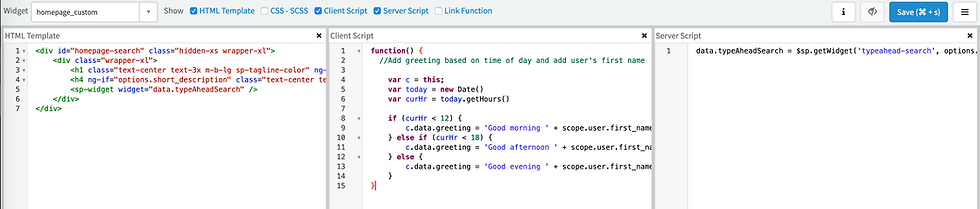
First you will navigate to Service Portal Configuration in your instance. You're going to clone the homepage widget and rename to 'homepage_custom'
From here you are going to enter the code to provide your users with a custom Greeting depending on the time of day they login.
Client Script:
function() {
//Add greeting based on time of day and add user's first name
var c = this;
var today = new Date()
var curHr = today.getHours()
if (curHr < 12) { c.data.greeting = 'Good morning ' + scope.user.first_name; } else if (curHr < 18) { c.data.greeting = 'Good afternoon ' + scope.user.first_name; } else { c.data.greeting = 'Good evening ' + scope.user.first_name; } }
Your HTML Template should look like this:
<div id="homepage-search" class="hidden-xs wrapper-xl"> <div class="wrapper-xl"> <h1 class="text-center text-3x m-b-lg sp-tagline-color" ng-bind="data.greeting"></h1> <h4 ng-if="options.short_description" class="text-center text-2x m-b-lg sp-tagline-color" ng-bind="options.short_description"></h4> <sp-widget widget="data.typeAheadSearch" /> </div> </div>
Your Server Script should look like this:
data.typeAheadSearch = $sp.getWidget('typeahead-search', options.typeahead_search);
Comments